Verizon Cloud - Website - Delete Media
Here's how to delete music, pictures, videos and documents from Verizon Cloud via the My Verizon website.
- To permanently delete messages from the Verizon Messages app, refer to Delete Messages - Verizon Messages - Website.
- To delete messages from other messaging apps, they must be deleted from your device.
- Each mobile number has its own sign-in credentials to access Verizon Cloud content.
- From a web browser on a computer, sign in to My Verizon.
- Navigate: .
- From the 'Verizon Cloud' section, clickManage.
- ClickAccess Verizon Cloud.
- From the 'How to access Verizon Cloud' page, clickVerizon Cloud web portal(in the 'Access my Cloud' section).
- Click the appropriate tab:
- Photos & Videos
- Music
- Documents
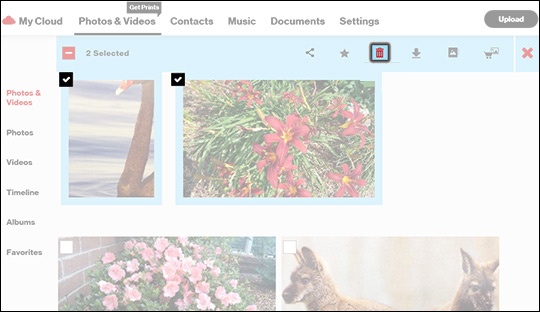
- Select a file(s) then click theDelete icon.To select all the pictures/videos, click the box next to the total number of files then clickOKif prompted.It may take a moment to process depending on the number of files present.Items are selected when a checkmark is present.
- ClickOKto confirm.
- If prompted, clickOK.
- To permanently delete files and free up storage space:If content is deleted from the Trash, it can't be recovered.
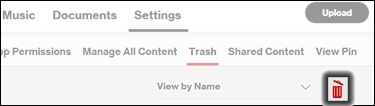
- ClickSettings.
- ClickTrash.
- ClickEmpty Trash Can.
- ClickOK.