Push to Talk Plus - Send / Receive Instant Personal Alerts
Here's how to send or receive an Instant Personal Alert using Push to Talk Plus.
- Ensure the PTT+ app has been updated to the most recent version for Android™ .
- An Instant Personal Alert (IPA) is a call alert that can only be sent to another PTT+ contact who's on the same Verizon network as the sender (only 4G LTE to 4G LTE IPAs are available).
Send an Alert
An Instant Personal Alert (IPA) can only be sent when the sender's presence status is 'Available'.
- Ensure alerts are enabled.
- From a Home screen, tap thePush To Talk+
app or navigate: .
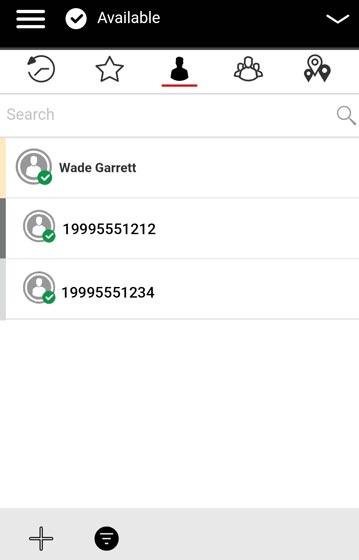
- From the Contacts tab, tap the appropriate contact.Alerts can be sent only to individual contacts, not groups.
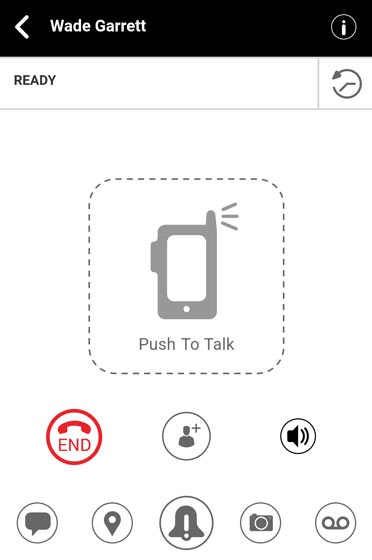
- From the Ready screen, tap theAlert icon
to send the alert.
A message "Sending Instant Personal Alert, please wait..." indicates the alert was delivered successfully, but doesn't mean it was received.
Receive an Alert
- When receiving an IPA or Missed Call Alert (from the Alert message), do one of the following:
- TapReplyto make a PTT+ call from the Ready screen.
- TapNot Nowto dismiss the alert.