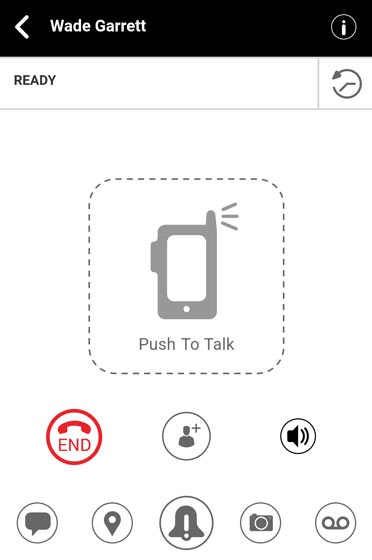
Push to Talk Plus - Send a Voice Message Attachment
Here's how to send a Push to Talk Plus voice message attachment.
- Ensure the PTT+ app has been updated to the most recent version for Android®.
- Pictures, video, location, voice messages or PDF files are sent by attachment.
- Voice Message fallback happens when a call is made to unvailable (offline, DND, Busy, Out of coverage) single users or when a call is made to a group where none of the recipients are available.
- During fallback the on-screen display shifts from the PTT icon
to the Voice message icon
and a unique chirping tone is played.
- From the Ready screen, tap theVoice messsage icon
.
Alternatively, tap theHistory iconthen tap the
Voice messsage icon - Touch and hold theVoice messsage iconYour voice message recording must be longer than 3 seconds to send.
- Release theVoice messsage iconSave icon
to send.
Alternatively, tap the Play iconto reivew the message or the Delete icon
to discard your recording.
The Voice Message attachement will be delivered when recipient becomes available.