Verizon Cloud - Website - Import Contacts
Here's how to import contacts via the Verizon Cloud website.
Check out the Verizon Cloud FAQs to learn more.
- Only compatible info is synced to the device.
- Some special characters in the contact info may not translate correctly.
- Online content (including social media) or content on external hard drives and/or backup servers should be transferred to your computer from the appropriate service first.When downloading content from a third-party provider or platform, reach out to their support staff for assistance exporting content.
- From a web browser on a computer, sign in to My Verizon.
- Navigate: .
- From the 'Verizon Cloud' section, clickManage.
- ClickAccess Verizon Cloud.
- From the 'How to access Verizon Cloud' page, clickVerizon Cloud web portal(in the 'Access my Cloud' section).
- ClickContacts.
- Click theImport icon.
- ClickChoose file.
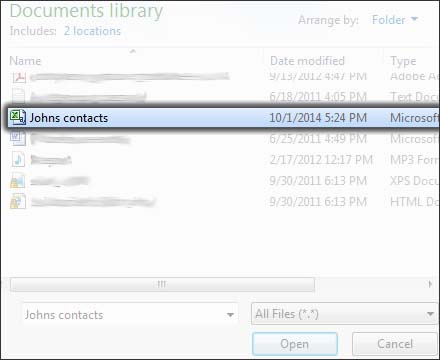
- Navigate to then select the contact file.
- ClickOpen.
- ClickImport to confirm.
- ClickOK.