Session status messages
Session Status

Due to inactivity, your session will end in approximately 2 minutes. Extend your session by clicking OK below.

Due to inactivity, your session has expired. Please sign in again to continue.

Verizon Internet Gateway - Connect the Wireless Client Manually

2026-10-22 18:05:52.299

Verizon Internet Gateway - Connect the Wireless Client Manually

Here's how to connect to your Wi-Fi manually for the Internet Gateway.
The default Wi-Fi Name (SSID) and Wi-Fi Password can be located on a label on the bottom of the device. Below is a example of the label where the infomation can be found.
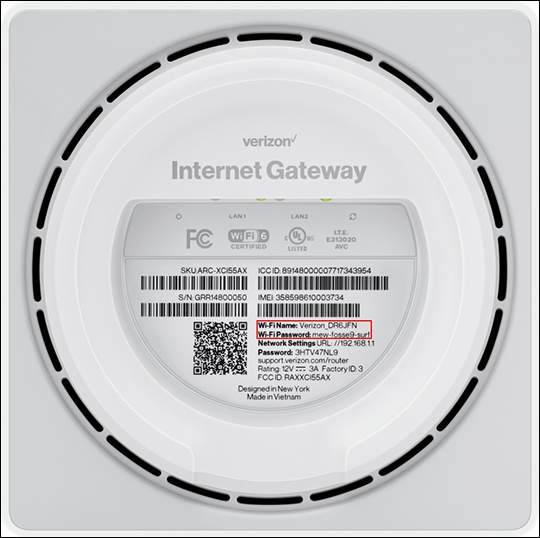
Wi-Fi info
Select the appropriate OS (for the client) then follow the instructions provided.
The default encryption type is WPA2.