Apple Watch - Turn the Find My App On / Off
Here's how to turn the Find My app on or off for your Apple Watch.
To avoid activation issues, make sure you unpair any previous Apple Watches owned before activating your new Apple Watch.
- The steps below apply to the Apple Watch® Series 3 and newer models.
- If you are unable to access the Apple® Watch or iPhone® or it is unresponsive, the Find My app can be disabled online via iCloud® .
- To disable the Find My app, your iPhone must have a valid connection to either a Cellular Data or Wi-Fi network. Without a connection, the Find My app is disabled on the device but not from Apple's servers.
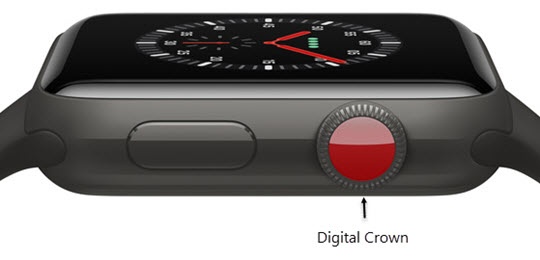
- Press theDigital Crownon your watch to see your apps.
- Tap theSettings icon
.
- Tap your name (at the top).
- Select your Apple Watch from the list.May require scrolling down.
- TapFind My Watchthen do the following:
- Turn 'Find My Watch' On
:
- Pair your Apple Watch to your iPhone.
- Turn 'Find My iPhone' On from your iPhone.This automatically enables the Find My Watch setting on your Apple Watch.
- Turn 'Find My Watch' Off
:
- Unpair the Apple Watch from the iPhone or disable the Find My iPhone setting on the iPhone.Unpairing the Apple Watch from your iPhone also removes the Activation Lock on the watch.