Windows 11 - Disconnect from a Wi-Fi Network
Here's how to remove a saved Wi-Fi network from your Windows 11 device.
- These instructions are for disconnecting from a Wi-Fi network only. Refer to Forget Wi-Fi Connection to disconnect and remove the login credentials.
- If your device isn't running Windows 11, refer to the Windows 10 instructions.
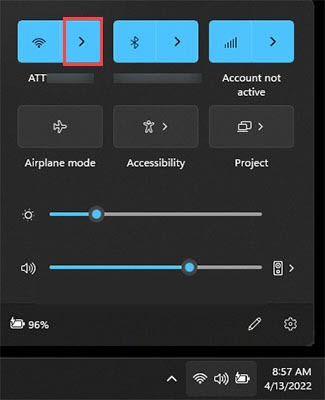
- From the Windows desktop, tap or click theWi-Fi icon
(located in the lower-right of the taskbar).
- Tap or click theManage Wi-Fi connections icon.
- Locate the appropriate network then tap or clickDisconnect.