Windows 10 - Disconnect from a Wi-Fi Network
Here's how to turn Wi-Fi for your Windows 10 on or off.
- These instructions are for disconnecting from a Wi-Fi network only. Refer to Forget Wi-Fi Connection to disconnect and remove the login credentials.
- If your Windows® operating system is unknown, refer to Determining Software Version - Windows.
- These instructions are for the latest version of Windows 10.
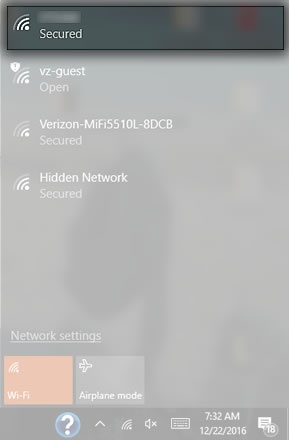
- From the Windows desktop, click theWi-Fi icon
.
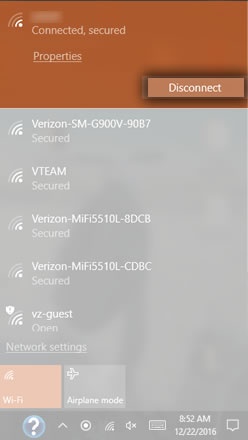
Utilize the touchscreen (if available) or mouse to select the on-screen options. - From the Wi-Fi section (on the right, above the task bar), click the connected Wi-Fi network address.
- ClickDisconnect.