Samsung Devices - Remove eSIM Profile
Here's how to remove a cellular plan from your dual SIM capable Samsung device.
- Removing a cellular plan doesn't cancel your service. To cancel your service, contact your carrier.
- In order to see the eSIM options, the device must be running the current software version.
- From a Home screen, swipe up from the center of the display to access all apps.
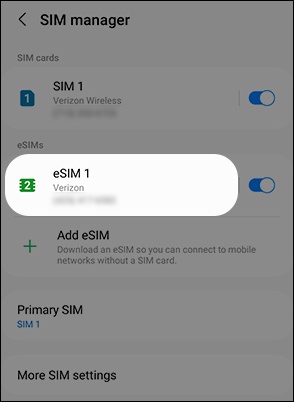
- Navigate:.SettingsConnectionsSIM manager
- Tap the eSIM you want to remove.The image below is an example.
- TapRemove.If prompted, enter the current PIN, password or pattern then tapContinue.
- Review the info then tapRemoveto confirm.If the eSIM profile is removed from the device, you'll need to contact Verizon to have a new eSIM profile reserved.