Apple iPhone - Dual SIM with an eSIM - Switch Default Voice Line
Here's how to switch the primary line used for voice, SMS, Data, etc. on your dual SIM capable iPhone.
If you need to change the default mobile number used to make phone calls from your Dual SIM with an eSIM capable Apple® iPhone®, follow these step-by-step instructions.
- The steps below apply to the following Apple iPhone models:
- iPhone XS / XS Max and newer models
- iPhone SE (3rd Gen)
- The Default Voice Line is the primary line used for voice, SMS and Data.
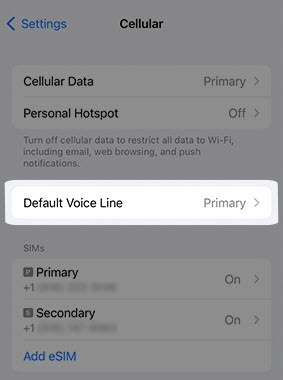
- From a Home screen, navigate:.SettingsCellularIf an app isn't available on your Home screen, swipe left to access the App Library.
- TapDefault Voice Line.This option is only available when using Dual SIM.
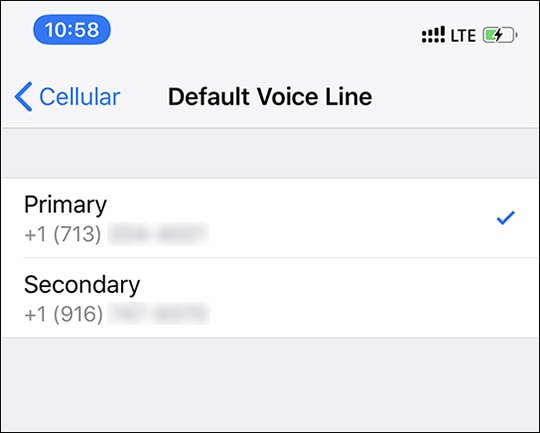
- Tap the desired line (e.g., Primary, Secondary, etc.).Selected when a checkmark is present.

For additional Dual SIM info, check out this Apple article.