One Talk Portal - Move Users Between Groups
Here's how to move users between groups via the One Talk Portal.
Refer to the One Talk admin portal simulator for interactive demonstrations.
- User features (e.g., Call Forwarding, etc.) must be reconfigured.
- Reset all user devices after the move (reboot desk phones & restart mobile apps).
- Sign in to My Business.
- ClickManage(top of screen).
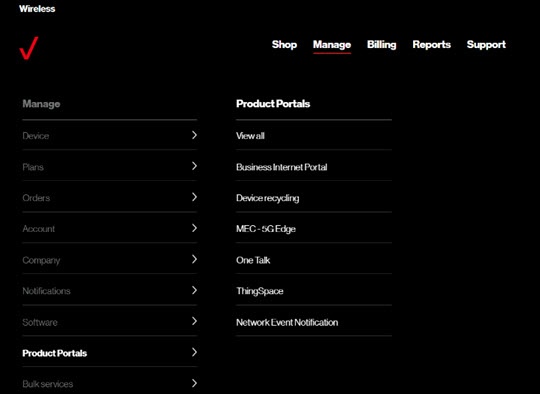
- Mouse overProduct Portalsthen clickOne Talk.If necessary, clickView all.
- From the 'I want to' section, clickManage group members.
- Check the box next to the number(s) to move then select a group from the 'Move to selected group' dropdown.
- ClickContinueto confirm.