One Talk Portal - Edit Group
Here's how to edit groups via the One Talk Portal.
Refer to the One Talk admin portal simulator for interactive demonstrations.
- Sign in to My Business.
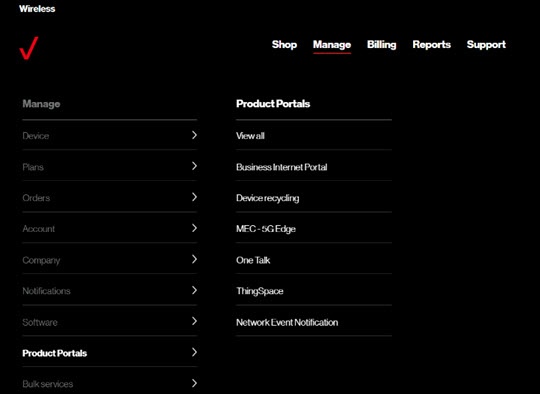
- ClickManage(top of screen).
- Mouse overProduct Portalsthen clickOne Talk.If necessary, clickView all.
- From the 'I want to' section, clickManage all groups.
- Click theEdit icon
next to the appropriate group.
- Edit the group name, time zone, extension length (2 to 6 digits) and group dialing prefix (2 to 6 digits) then clickSave.Changing the extension length automatically modifies all existing group extensions to use the last number of digits of the phone number.Dialing within the group doesn't use the dialing prefix; it is only used when dialing across groups.Extensions, including Virtual On-Network extensions, can't be duplicated across groups unless you assign a group dialing prefix to those groups.