Activate Visual Voicemail - LG
Here's how to set up Visual Voicemail on your LG smartphone.
Only Basic Voicemail is available for devices active on prepaid plans.
- From the Home screen, navigate:.Apps iconVoicemailIf necessary, tapVerizonthen tapVoicemail.
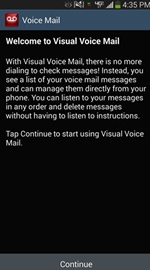
- From the Welcome screen, tapContinue.
- To continue, review the Terms and Conditions and then tapAccept.
- From the 'Enhance your experience with Premium Visual Voicemail' screen, select 'Subscribe to Premium' or 'No, Thanks'.