Roadside Assistance - My Verizon app - Cancel Subscription
Here's how to cancel your Roadside Assistance service through the My Verizon app.
- Ensure your app is up to date as the following steps apply to the most recent version.If you're not able to access the My Verizon app, you can also visit the My Verizon website to manage your account.
- Changes to these items may take up to 15 minutes to appear on your account.
- Available settings vary based on user type (e.g., Account Owner, Account Manager, Account Member).
- Open theMy Verizon app
.
- Tap theAccount tab(at the bottom).If prompted, enter your password, fingerprint or Face ID.
- TapServices & perks.
- TapSee Allfrom the 'Manage Services & Perksy' section.
- TapManageunder Verizon Roadside Assistant.
- TapUnenrollnext to the applicable phone number.
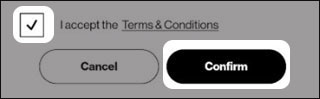
- To continue, review the Terms and Conditions, tap the check box then tapConfirm.