Google Pixel Watch 2 - View Software Version
Here's how to view the software version your Pixel Watch 2 is running.
Ensure your Pixel Watch 2 software is up to date as the steps below apply to the most recent version.
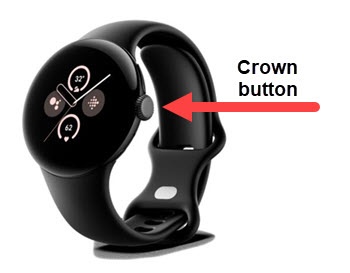
- From the Home screen, press theCrown buttonto open the apps screen.
- Navigate: .
- TapVersions.
- View 'Build number'.