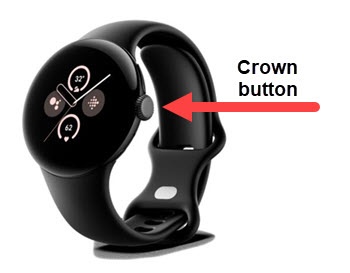
Google Pixel Watch 2 - Turn Power Saver On / Off
Here's how to turn Battery Saver on or off to help manage battery performance for your Pixel Watch 2.
- Ensure your Pixel Watch 2 software is up to date as the steps below apply to the most recent version.
- While enabled, Battery Saver reduces the performance of your device and limits vibration, location services and most background data to help improve battery life.
- From the Home screen, press theCrown buttonto open the apps screen.
- Navigate: .
- TapBattery Saver switchto turn on
or off
.
Turning Battery Saver on turns off the 'Always - on' screen and 'Tilt-to-wake' to extend battery life.