Verizon Receiver (LV65) - Install / Set Up 5G Home - Indoor Signal Test
Here's how to perform an indoor signal test for the Verizon Receiver (LV65).
Need to know info before you start:
- Don't open boxes until instructed.
- Enable Bluetooth® on the device you're connecting to the Verizon Receiver (LV65).
- Everything you need is in the box.
- Signal test for the Verizon Receiver (LV65) is performed within the My Verizon app for Google™Android™ and Apple® iOS.
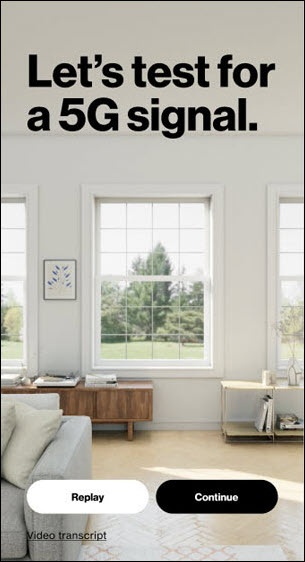
- From the 'Let's test for a 5G signal' screen tapContinue.Watch this video for a demo.
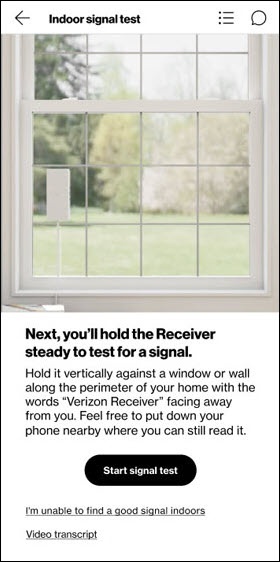
- From the 'Indoor signal test' screen tapStart signal test.Watch this video for a demo.Tips for finding a good 5G signal
- The words “Verizon Receiver” should face out towards the 5G antenna.
- Find the clearest path to the antenna.
- If indoors, test at a window first. If you don’t have a window that faces an antenna, test on a wall on the perimeter of your home. Upstairs is recommended.
- The receiver must be still to determine signal strength.
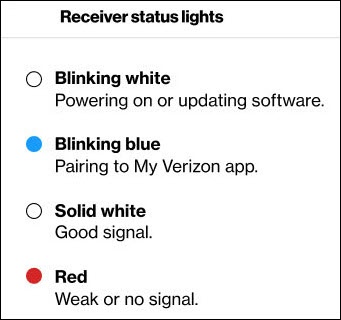
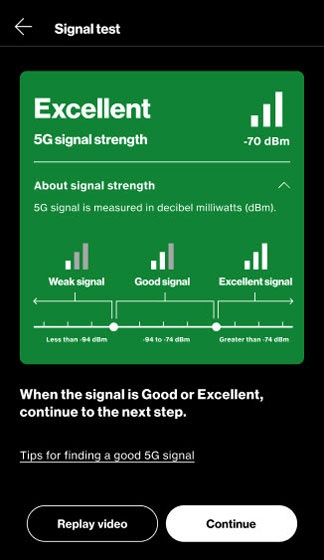
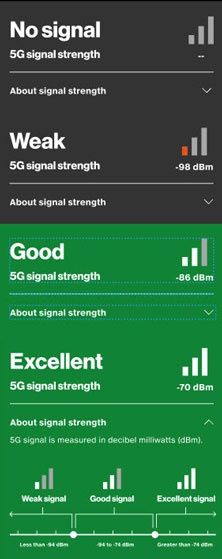
- Once the receiver LED displays a solid white light and the My Verizon app displays 'Good' or 'Excellent', tapContinue.The continue button will not function until a 'Good' or 'Excellent' signal is acquired.If needed repeat step 2 from a different window or from a wall on the perimeter of the home.After 10 minutes an 'It looks like you're having trouble finding a signal' notification displays.TapExplore more optionsand continue to Outdoor Signal Test.
- Mark the location where you found a good signal by pulling a sticker off the receiver and placing it just below where you’ll mount it then tapContinue.Watch this video for a demo.
- From the 'Where did you find the signal?' screen select one of the following and tapContinue: