Wi-Fi Extender Mini - Activate / Set Up Device
Here's how to set up the Wi-Fi Extender Mini.
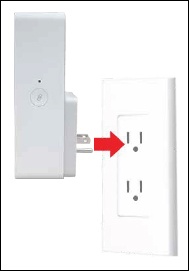
- Plug the Wi-Fi Extender Mini into a power outlet next to the Router.
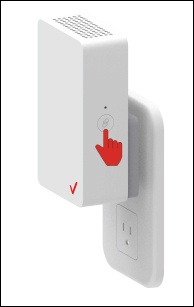
- When the light on the front is solid yellow, press the pair button on the Router and the Wi-Fi Extender Mini.Both devices blink blue while pairing.If there is an error during the pairing process, the Status LED slowly flashes red for two minutes after the error occurs.
- Once you see a blinking yellow light, wait an additional 3 minutes then unplug the Wi-Fi Extender Mini.
- Move it to an area between the Router and the weak Wi-Fi coverage then plug it in.
- Once the LED indicator turns solid white, your setup is complete.For more info on LED indicators, see Wi-Fi Extender Mini - View LED Status Indicators this info.