Wi-Fi Extender Mini - View LED Status Indicators
Here's how to identify the LED light status indicators on your Wi-Fi Extender Mini.
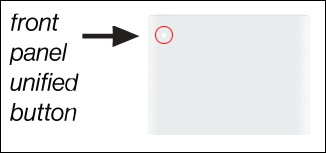
- The Status LED indicator is located on the front of the Wi-Fi Mini Extender in the upper-left corner.
- The Status LED indicator displays solid white when your Mini Extender is turned on, connected to the internet, and functioning normally.
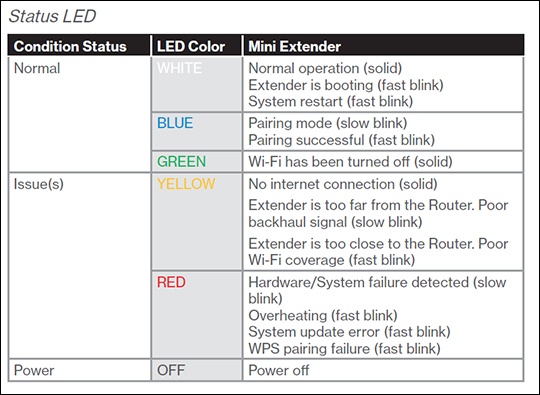
If the status indicator is yellow, the Mini Extender either has no internet connection or is too close or far from the Router. SeeWi-Fi Extender Mini - Activate / Set Up Device for info on proper setup.