Samsung Devices - Dual SIM Dual Standby (DSDS) - Set Calling SIM by Contact
Here's how to designate which calling SIM your dual SIM capable Samsung device uses to communicate with specific contacts.
- The primary SIM is the default cellular plan used for calls, text messages and data. Follow these steps to make calls and messages to a specific contact send from a number other than the primary SIM.
- In order to see the eSIM options, the device must be running the current software version.
- From a Home screen, swipe up from the center of the display to access all apps.
- TapContacts.
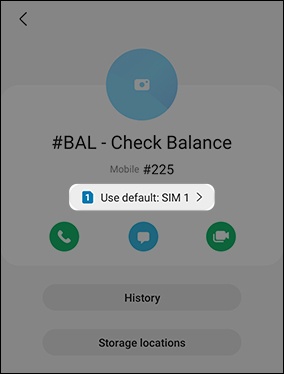
- Tap the preferred contact.
- TapUse [name]then select the preferred SIM (e.g., default, SIM 1, eSIM 1, etc.).The image below is an example.