Apple iPhone - Turn iCloud Private Relay On / Off
Here's how to turn iCloud Private Relay on or off on your iPhone.
- iCloud Private Relay helps protect your privacy when you browse the web in Safari.
- This feature is only available on iOS 15 or later.
- Requires an iCloud+ subscription.
- For additional information, check out this Apple support page.
- From your old iPhone's Home screen, tapSettings
.
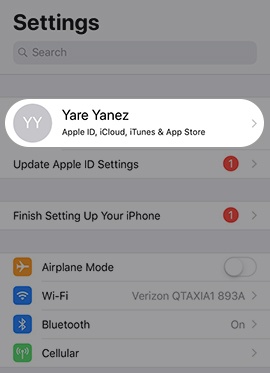
- Tap theApple profile(e.g., John Doe) at the top of the Settings menu.
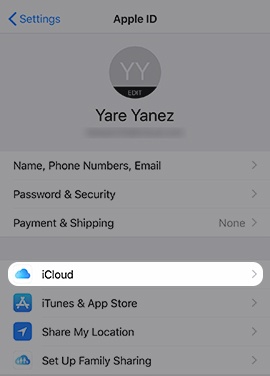
- TapiCloud.If prompted, enter the Apple ID and password then tapSign In.If you forgot your password, follow these step-by-step instructions.
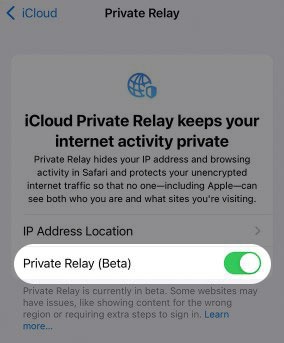
- TapPrivate Relay (Beta).
- Tap thePrivate Relay switchto turn on
or off
.
While iCloud Private Relay is on, it may cause websites to load slowly while using the Safari browser.This setting is off by default.When turning off, tapTurn Off Private Relaywhen prompted to confirm.