Session status messages
Session Status

Due to inactivity, your session will end in approximately 2 minutes. Extend your session by clicking OK below.

Due to inactivity, your session has expired. Please sign in again to continue.

Smart Wrist by Orbic - Turn Wi-Fi On / Off

2026-10-22 20:13:21.089

Smart Wrist by Orbic - Turn Wi-Fi On / Off

Here's how to turn Wi-Fi for your Smart Wrist on or off.
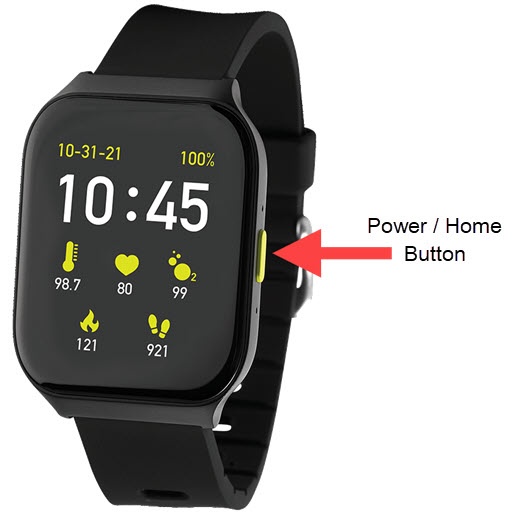
  1. From the Smart Wrist™ by Orbic® watch screen, press the
    Power / Home button
    to open the apps screen.
    Power Home button
  2. Tap the
    Settings icon
    Settings icon.
  3. Tap
    Wi-Fi
    .
  4. Tap
    Wi-Fi
    to turn on (Automatic) or off Switch off icon.