Cancel discovery+ Subscription - My Verizon app
Here's how to cancel your discovery+ subscription via the My Verizon app.
- Cancellation of the discovery+ promo (not paid service & perk) is blocked for 7 days after enrollment.
- Ensure your app is up to date as the following steps apply to the most recent version.If you're not able to access the My Verizon app, you can also visit the My Verizon website to manage your account.
- Changes to these items may take up to 15 minutes to appear on your account.
- Managing discovery+ isn't available in the My Verizon app on Apple devices unless included in your plan. Refer to discovery+ subscription - My Verizon Website to manage your subscription through a browser.For discovery+ eligibility and promotional offers, check out these discovery+ FAQs.
- Open theMy Verizon app
.
- Tap theAccount tab(at the bottom).If prompted, enter your password, fingerprint or Face ID.Only Account Owners or Account Managers can perform these steps, here's additional info on account roles.
- TapServices & perks.
- SelectSee Allfrom the 'Manage Services & Perks' section then tapManagein the 'discovery+' section.
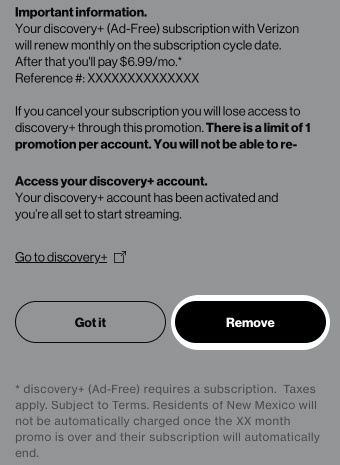
- From the 'discovery+' screen, review the message then tapRemove.
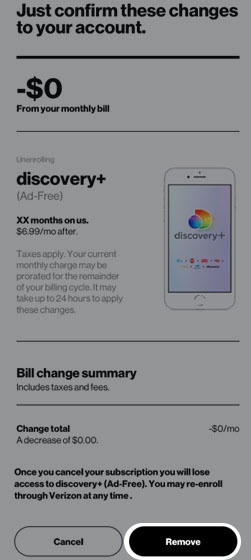
- To continue, review the changes then tapRemove.
- From the Confirmation screen, tapGot it.It may take up to 24 hours for these changes to take effect.