Google Pixel Phones - Dual SIM Dual Standby - Remove Cellular Plan
Here's how to remove a cellular plan from your dual SIM capable Pixel smartphone.
The following Pixel phones don't support Dual SIM Dual Standby (DSDS):
- Pixel Phone by Google
- Pixel 2 / 2XL
- Pixel 3 / 3XL
- Pixel 3a / 3aXL
Removing a cellular plan doesn't cancel your service. To cancel your service, contact your carrier.
- From a Home screen, swipe up from the middle to display all apps.
- Navigate:.SettingsNetwork & InternetSIMs
- Tap the applicable eSIM profile (name varies; example Verizon eSIM).This option is only available when both the physical SIM card and eSIM are activated.
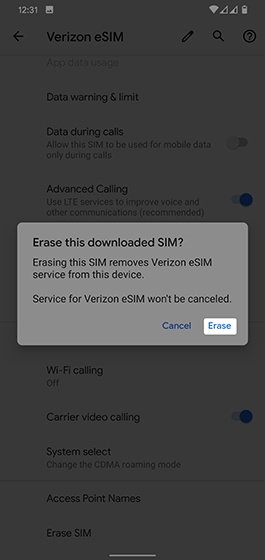
- TapErase SIM.This option is only available when an eSIM profile is selected.
- From the 'Erase the downloaded SIM?' screen, tapErase.