Care Smart app - View / Delete Text Messages
Here's how to view or delete text messages via the Care Smart app.
The Care Smart app allows contacts and administrators to communicate with a Care Smart watch via text message.
- This content is only available for the Care Smart watch.
- Ensure the Care Smart app is updated (Google Play™ Store or Apple® App Store®).
- Check out these Care Smart FAQs for more info.
- Open theCare Smart app.If presented with the PIN screen, enter your PIN.
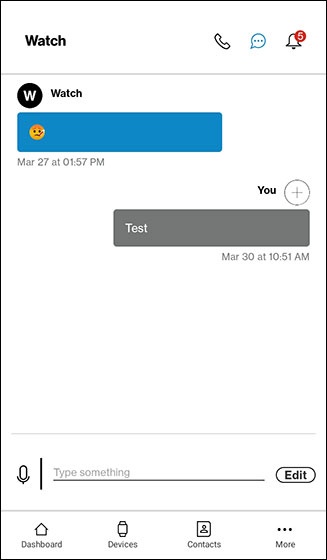
- Tap theMessages icon.
- View the text messages.To delete messages:
- TapEdit.
- TapDelete message history.
- To confirm, tapDelete.