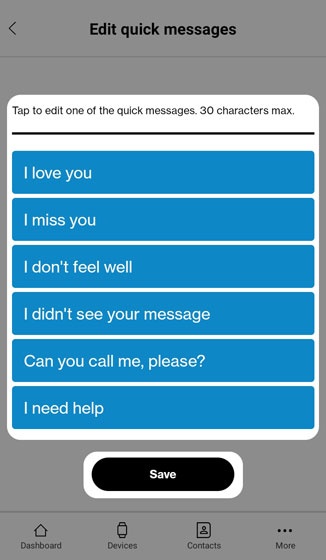
Care Smart app - Edit Quick Messages
Here's how to customize the quick messages your Care Smart watch can send via the Care Smart app.
The Care Smart app allows Administrators to customize the available quick text message options for a Care Smart watch.
- This content is only available for the Care Smart watch.
- Ensure the Care Smart app is updated (Google Play™ Store or Apple® App Store®).
- Check out these Care Smart FAQs for more info.
- Open theCare Smart app.If presented with the PIN screen, enter your PIN.
- Tap theMessages icon.
- TapEdit.
- TapEdit quick messages.
- Tap any of the messages and customize as desired then tapSave.