Home Phone Base - Activate / Set Up Device
Here's how to set up your Home Phone Base.
Electrical equipment can cause interference with the Home Phone Base. Avoid placing the Home Phone Base near other electrical equipment such as a refrigerator, television or microwave oven.
- The Home Phone Base comes with the SIM card installed.
- Customers transferring in their home number can't make or receive calls on the Home Phone Base until the transfer process is completed. The transfer process can take 2-10 business days. Check the status of your transfer by visiting verizonwireless.com/port or by calling 877.567.4899.
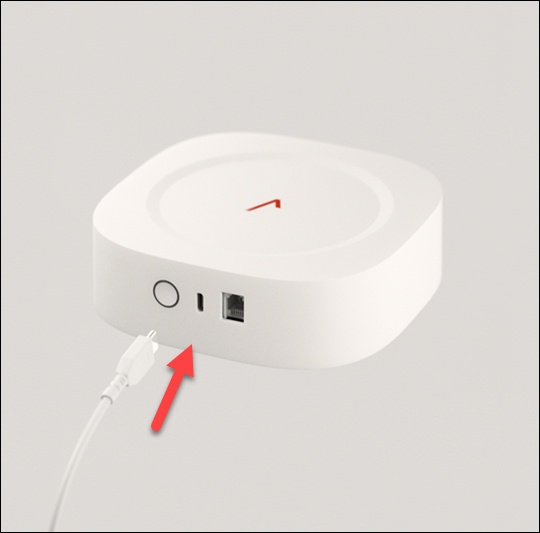
- Attach the AC adapter to one end of the USB Type-C cable, plug the AC adapter into an electrical outlet, then plug the other end of the cable into the USB Type-C port on the Home Phone Base.
- Disconnect the home telephone from the wall jack.
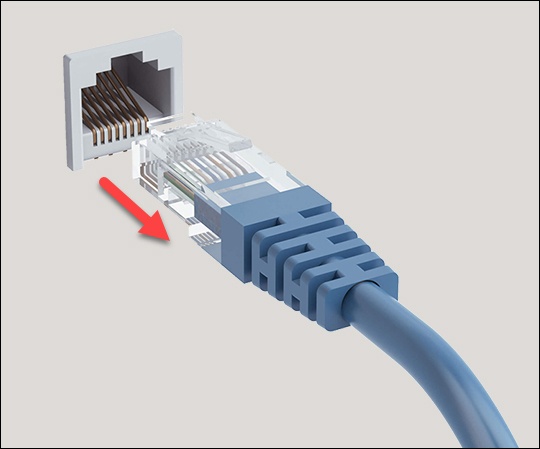
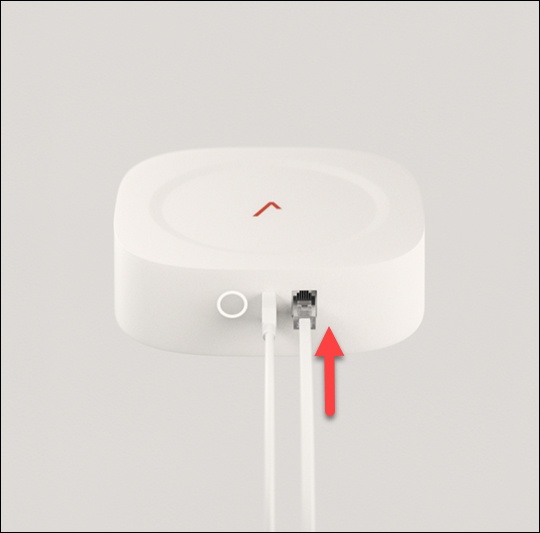
- Plug one end of the RJ11 cable into the RJ11 port on the Home Phone Base, then plug the other end of the cable into the RJ11 port on a landline telephone.Don't plug the Home Phone Base into the telephone wall jack.
- Press thePower button(on the back of the unit) to turn on the Home Phone Base.The power indicator turns white when the device is turned on.
- Place a call to start using the service.Ensure the LTE connection LED on the front of the device is solid white. If the LTE connection LED is solid amber/yellow, move the Home Phone Base to get a stronger signal. More information on LED status indicators is available here.You may need to use the three-digit area code when dialing local and long distance numbers.