5G Home Router - Edit Connected Device Nickname
Here's how to change nicknames of devices connected to the 5G Home Router.
- This content is for 5G Home Internet. Here's info on Fios Home Internet.
- 5G Home Internet service is currently offered in specific areas. Here's how to check for 5G coverage availability.
You can also edit a device name via the My Verizon app.
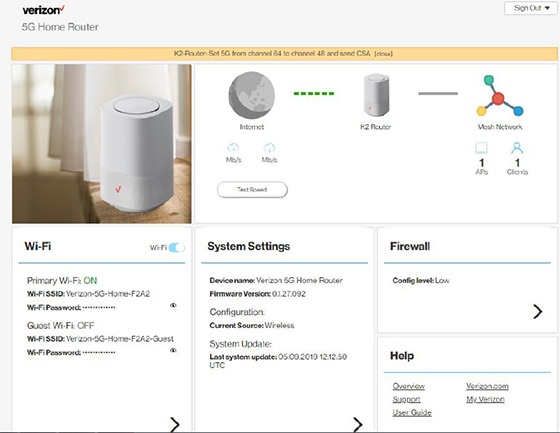
- Sign in to the Admin WebGUI.
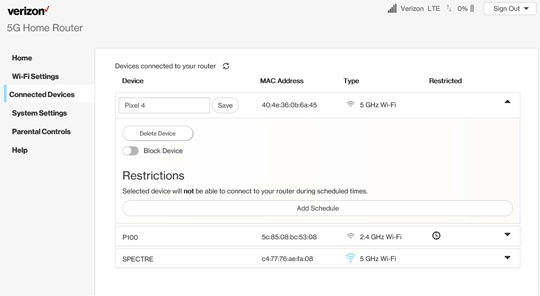
- From the Router Home screen, clickConnected Devices.
- From Connected Devices, click theDropdown icon
to the right of the appropriate device then click the
Edit icon.
- Enter the appropriate device nickname then clickSave.