5G Home Router - Restore Settings to Factory Defaults
Here's how to restore the 5G Home Router to factory settings if it crashes, resets, freezes or runs slow.

- This content is for 5G Home Internet. Here's info on Fios Home Internet.
- 5G Home Internet service is currently offered in specific areas. Here's how to check for 5G coverage availability.
A reset to factory default deletes all changes made to the configuration and connected clients (e.g., Network Name (SSID), Wi-Fi/Admin Password, etc.) need to reconnect.
External
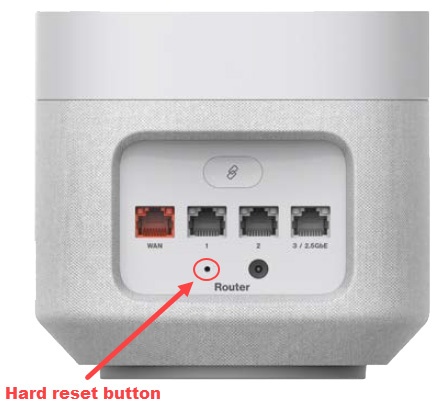
- From the back of the router, locate the Reset button hole.
- Insert a paper clip then press and hold theReset buttonfor at least 10 seconds with the router powered on.If a backup was done prior to the reset, perform a restore if desired.
Admin WebGUI
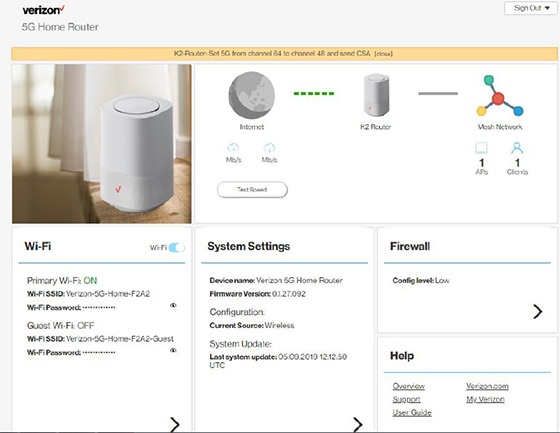
- Sign in to the Admin WebGUI.You must be connected to the 5G Home Internet network to access the admin page.
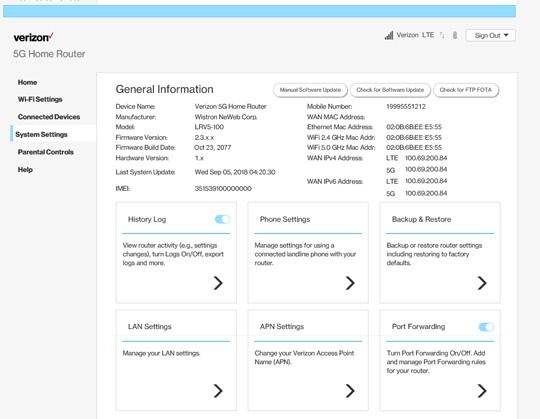
- From the Router Home screen, clickSystem Settings.
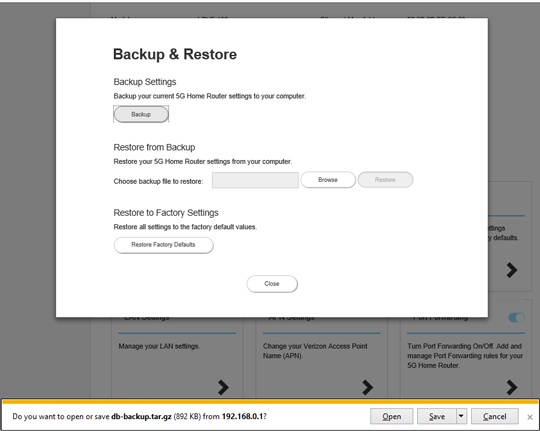
- From the General Information screen, clickBackup & Restore.
- From Backup & Restore, clickRestore Factory Defaults.If a backup was done prior to the reset, you can restore your router settings.