Activate Visual Voicemail - Sonim
Here's how to activate Visual Voicemail on your Sonim smartphone.
- Only Basic Voicemail is available for devices active on prepaid plans.
- If Visual Voicemail is turned off from the Settings screen, messages and Google transcripts within the app are deleted. Copies still saved in your Verizon voicemail box are not affected.
- From a Home screen, tap thePhone icon
.
If unavailable, swipe up from a Home screen then tapPhone. - Tap theVoicemail icon
(lower-right).
If unavailable, navigate:then tap thePhoneMenu iconSettingsVoicemailVisual Voicemail switchto turn on.
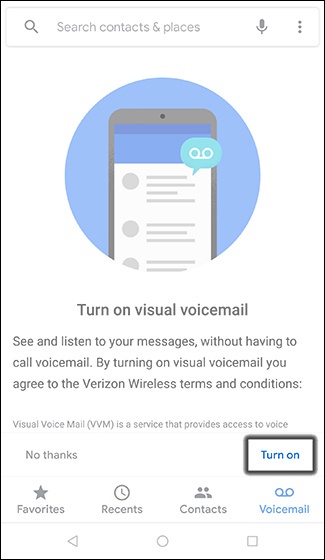
- From the 'Turn on visual voicemail' screen, tapTurn on.