Verizon Jetpack® MiFi® 8800L - Activate / Set Up Device
Here's how to activate your MiFi 8800L.
Follow these step-by-step instructions to activate your Jetpack.
- If needed, insert the SIM card.A SIM card may be pre-installed.
- Insert the battery.Prior to using the device, ensure the battery is fully charged.
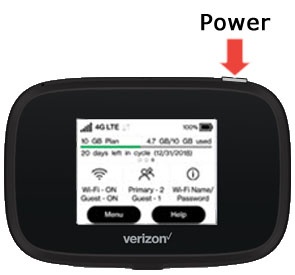
- Press and hold thePower buttonfor 3 seconds then release, 'MiFi' then appears on the display.Activation is performed automatically and may take several minutes to complete.
- From the Welcome Tutorial screen, swipe left to navigate through the tutorial then tap theHome icon(upper-right) when finished.
- Establish a Wi-Fi network connection between the Jetpack and a device.The Wi-Fi name and password is obtained via the external LED of the Jetpack.Select the appropriate operating system for assistance:
- Launch a web browser.