GizmoWatch - Factory Data Reset (Powered On)
Here's how to reset your GizmoWatch if it has a blank screen or you can't make or receive calls.
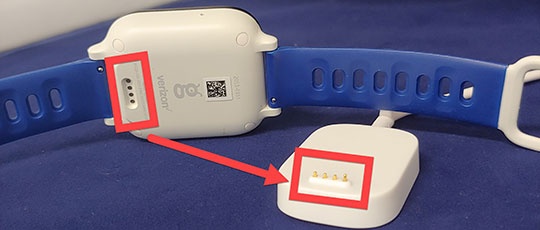
- Plug the GizmoWatch™ into the charger and turn on the GizmoWatch.If your watch is unresponsive or can't be powered on, reset the device using the GizmoHub App.
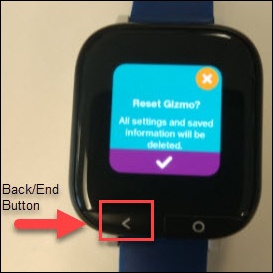
- With the device powered on, press theEnd/Back buttonto bring up the display.
- From the Home screen, quickly press theEnd/Back button4times.If device is powered on and responsive but not on the Home screen, quickly press theEnd/Back button5 times or more.
- From the 'Reset Gizmo' screen, tap theCheckmark icon
to delete all saved settings and contacts.
The GizmoWatch resets and reactivates, prompting you to download the GizmoHub app.Allow several minutes for the factory data reset and reboot processes to complete.If needed, set up your GizmoWatch.