Apple Watch - View Software Version
Here's how to view the software version your Apple Watch is currently running.
- Check the Software Updates page to see if your device's most recent software version is listed.
- The steps below apply to the Apple Watch® Series 3 and newer models.
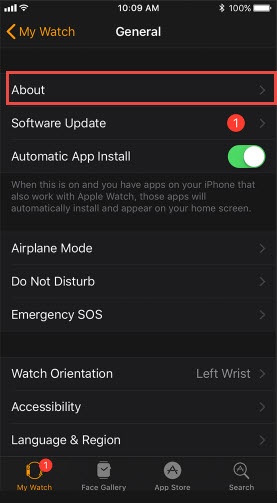
- From your iPhone®, open theWatch app
.
- Tap theMy Watch tab(lower-left).
- TapGeneralthen tapAbout.The software version is displayed in the 'Version' field.