Apple Watch - Install Device Software Updates
Here's how to check for and install software updates on your Apple Watch.
Check for Software Updates from the Watch
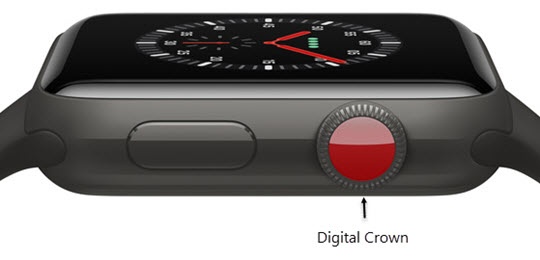
- From the Watch face screen, press theDigital Crownto access the Apps screen.
- Navigate:.SettingsGeneralSoftware UpdateApple Watch® must be connected to Wi-Fi to download and install updates.
- TapDownload and Install.
- TapProceed.If prompted, enter your passcode.
- TapInstall.

Check for Software Updates from the iPhone
- From your iPhone, open theWatch app
.
- Tap theMy Watch tab(lower-left).
- Navigate: .Apple Watch® must be connected to Wi-Fi to download and install updates.
- TapDownload and Install.If prompted, enter your passcode on your watch.
- TapInstall.