Apple Watch - Delete Paired Bluetooth Connection
Here's how to unpair a Bluetooth accessory paired to your Apple Watch.
- The steps below apply to the Apple Watch® Series 3 and newer models.
- If you are unpairing your Apple Watch from your iPhone, you must reset your Watch before pairing with a new iPhone.
- These steps outline how to unpair a Bluetooth® accessory (e.g., headphones) from your Apple Watch.
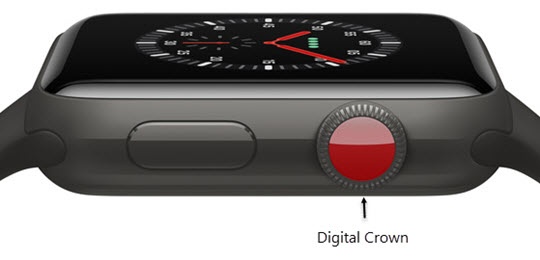
- From the Watch face screen, press theDigital Crownto access the Apps screen.
- Tap theSettings iconthen tapBluetooth.
- Tap theInfo iconnext to the Bluetooth accessory you want to delete.
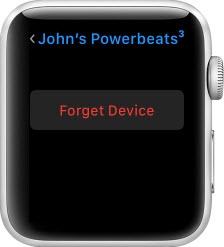
- TapForget Device.