Apple Watch - Create and Send a Text Message
Here's how to create and send a text message from your Apple Watch.
The steps below apply to the Apple Watch® Series 3 and newer models.
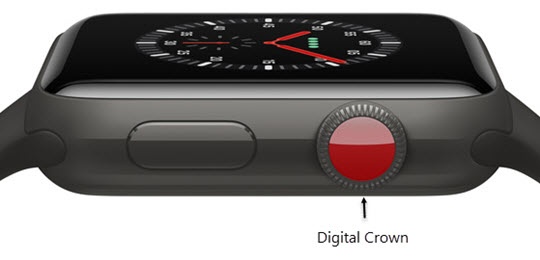
- From the Watch face screen, press theDigital Crownto access the Apps screen.
- Tap theMessages icon.
- TapNew Message icon
(at the top).
- TapAdd Contactthen choose an option:
- Tap theAdd Contact icon
to choose from your list of contacts.
- Tap theDialpad iconto enter a phone number.
- Tap theMicrophone iconto search for a contact or to dictate a message.You can also choose to send a preset reply, handwrite a message, or send emojis or stickers.
- TapCreate Message.
- Do one of the following:
- Turn the Digital Crown then tap the desired suggested reply.
- Tap theMicrophone icon
to dictate your response.
Say what you want to say then tapDone. - Tap theScribble icon
to write your message.
- Tap theEmoji iconthen select the desired emoji.
- TapSend.