Apple Watch - Adjust Volume
Here's how to change the volume levels for calls, alerts, and notifications on your Apple Watch.
- The steps below apply to the Apple Watch® Series 3 and newer models.
- At this time, you can't change alert sounds and notifications on the Apple Watch, to set the volume, follow the steps below.
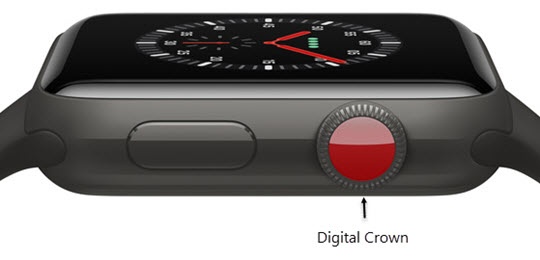
- From the Watch face screen, press theDigital Crownto access the Apps screen.
- Tap theSettings icon
.
- Scroll down then tapSounds & Haptics.
- Tap the appropriate icon to turn the volume up
or down
.