Apple Watch - Turn Theater Mode On / Off
If notifications for calls or texts aren't appearing on your Apple Watch, view this info.
- The steps below apply to the Apple Watch® Series 3 and newer models.
- When Theater Mode is turned on, Silent Mode is enabled and the screen stays dark until you tap or press a button.
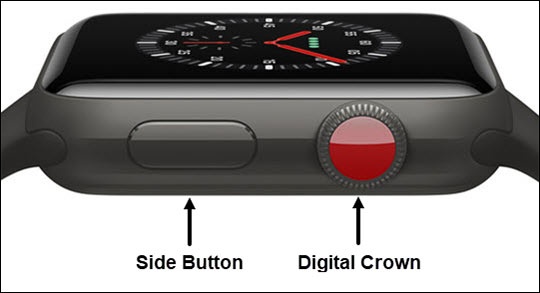
- From the Watch face screen, press theSide Buttonto open the Control Center.If unavailable, swipe up from the bottom of the Watch face to open the Control Center.
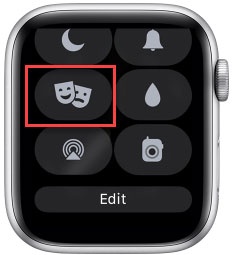
- Tap theTheater Mode iconto turn on or off.Enabled when
is present.