Kyocera DuraXV LTE - Turn Mobile / Wi-Fi Hotspot On / Off
Here's how to turn the Mobile Hotspot for your Kyocera DuraXV LTE on or off.
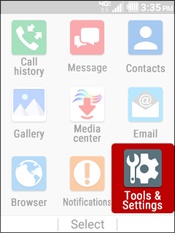
- From the main screen, selectMenu.Utilize the 5-way navigation pad to highlight and the center button to select.
- SelectTools & Settings.
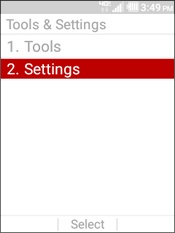
- SelectSettings.
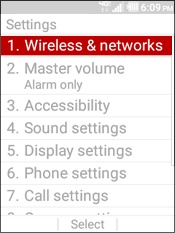
- SelectWireless & networks.
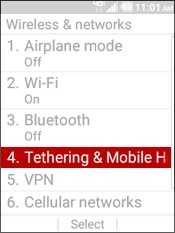
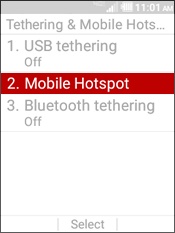
- SelectTethering and Mobile Hotspot.
- SelectMobile Hotspot.
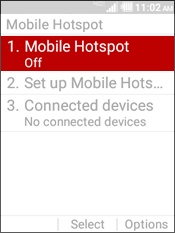
- SelectMobile Hotspotagain.
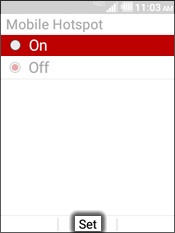
- HighlightOnthen selectSetto turn on the mobile hotspot.
Check out these FAQs for additional support on Mobile Hotspot or if you're prompted to add it.