One Talk Portal - Purchase Automated Receptionist
Here's how to purchase the Automated Receptionist service via the One Talk Portal.
Refer to the One Talk admin portal simulator for interactive demonstrations.
Incoming callers are presented with a greeting and a set of options to choose from (press 1 for sales for example) and routed to the selection made. Different options can be made available depending on the Schedule (Business Hours, After Hours, Holiday)
- Sign in to My Business.
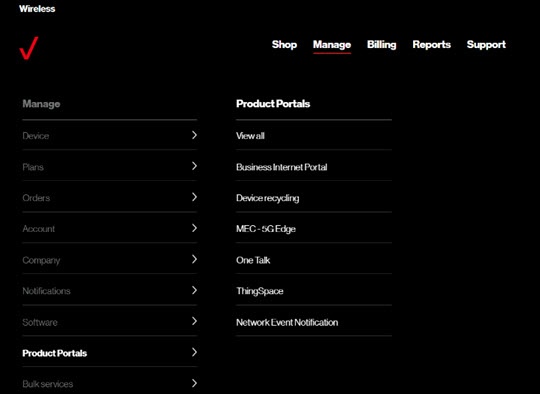
- ClickManage(top of screen).
- Mouse overProduct Portalsthen clickOne Talk.If necessary, clickView all.
- ClickManage features.
- From the 'Business Features' tab, clickAutomated Receptionist.
- From the 'Manage Automated Receptionist' page, clickPurchase Automated Receptionist(upper-right).
- Follow the on-screen instructions to complete the desired transaction.