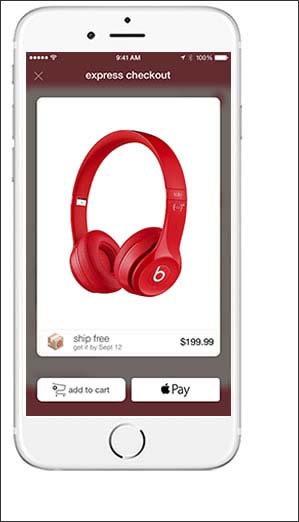
Make a Payment - Apple Pay®
Here's how to make a payment with Apple Pay.
Contact your respective financial institution for questions or issues related to: declined payments, making credit card payments, disputing charges or payments, canceling a card, reporting a card lost or stolen and requesting or replacing an ATM/Debit card.
- Apple Pay lets you make purchases in stores with contactless payment technology, and in supported apps using unique security features built into these supported devices.
- Apple Pay works with most of the major credit and debit cards from the top U.S. banks. For a list of participating issuers refer to to Apple Pay participating issuers.
- For assistance with the initial setup of Apple Pay, refer to Initial Setup.
- For info on security and privacy, refer to Apple Pay Security and Privacy Overview.
With iPhone X
- You can use Apple Pay in participating stores with contactless payment readers. Contact payment readers come in different models, but can always be identified with the following symbol:
- Double-click theside buttonto launch the Apple Pay app.
- Actively look at your iPhone X to verify your identity using Face ID.
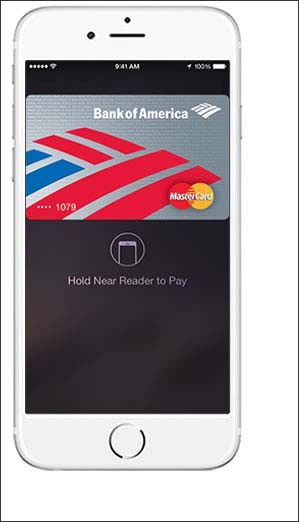
- Bring the iPhone to within approximately one inch of the contactless payment reader.
- Apple Pay attempts to authenticate the payment.Additional instructions may be presented on the screen.
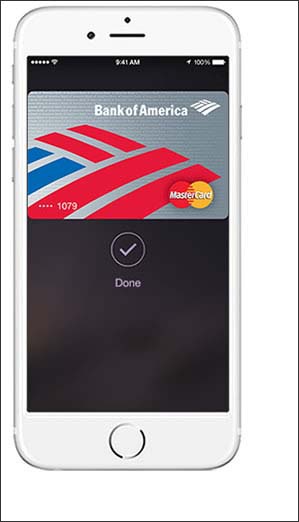
- Apple pay authorizes the payment.Payment is confirmed with a subtle vibration (if sound is on) and a soft beep.

With Other iPhones / iPad
- You can use Apple Pay in participating stores with contactless payment readers. Contact payment readers come in different models, but can always be identified with the following symbol:
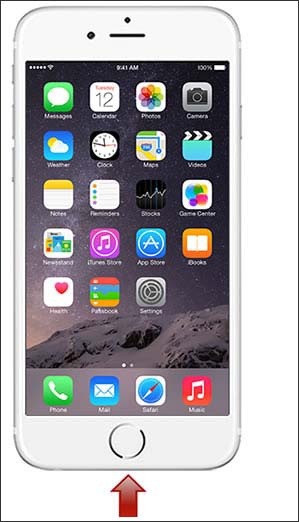
- Bring the iPhone to within approximately one inch of the contactless payment reader and press your finger on the Touch ID.
- Apple Pay attempts to authenticate the payment.Additional instructions may be presented on the screen.
- Apple pay authorizes the payment using Touch ID.Continue to hold Touch ID until the fingerprint is complete.Payment is confirmed with a subtle vibration (if sound is on) and a soft beep.
Pay From an App
- Supported Apps has an option to 'Buy with Apple Pay' at checkout and may allow you to enter card info, shipping, billing and contact info.The way the apps present the option may differ, but always has the Apple Pay logo.