Apple iPad - Family Sharing - Add / Remove Members
Here's how to add or remove members to / from Family Sharing via your iPad.
Family Sharing allows up to 6 people in your family to share each other's iTunes, iBooks and App Store purchases without sharing accounts and allows them to pay for family purchases with the same credit card.
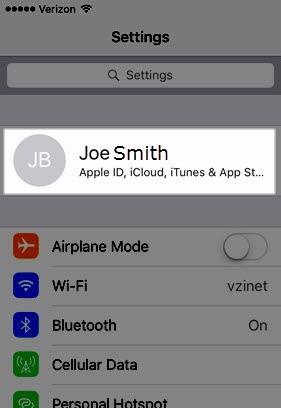
- From a Home screen on your Apple® iPad®, tapSettings
.
- Tap your Apple profile (at the top).If prompted, enter the Apple ID and password then tapNext.
- TapFamily Sharing.
- Do one of the following:
- Add a Family Member:
- TapAdd Member.
- Tap one of the following options:
- Invite PeopleSelect an option (e.g., Messages, Mail, AirDrop, etc.) to share the invitation.
- Create an Account for a ChildFollow the on-screen instructions to create an account for your child.
- Remove a Family Member:
- Tap the desired family member.
- TapRemove.