Apple iPad - Set Up Family Sharing
Here's how to set up Family Sharing using your iPad.
Family Sharing allows up to 6 people in your family to share each other's iTunes, iBooks and App Store purchases without sharing accounts and allows them to pay for family purchases with the same credit card.
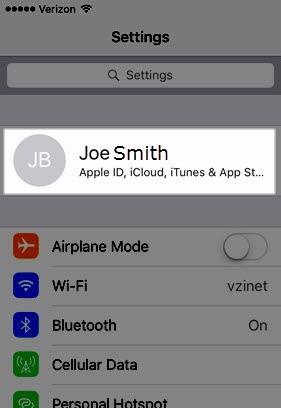
- From the Home screen on your Apple® iPad®, tapSettings
.
- Tap your Apple profile (along the top).If prompted, enter the Apple ID and password then tapSign In.
- TapFamily Sharing.
- TapInvite Othersthen select the desired option (e.g., Messages, Mail, AirDrop, etc.) to share the invitation.To create a child account, tapCreate Child Accountthen follow the on-screen instructions.
- Review the info then tapDone.
- Once the desired family members have been added, tap any of the following then follow the on-screen instructions:
- Apple Music
- Apple TV+
- Apple Arcade
- Apple News+
- Location Sharing
- Purchase Sharing
- iCloud Storage
- Ask To Buy
- Screen Time