Apple iPad - Check Device Storage
Here's how to free up space if your iPad runs slow / crashes, apps freeze, or you can't save media.
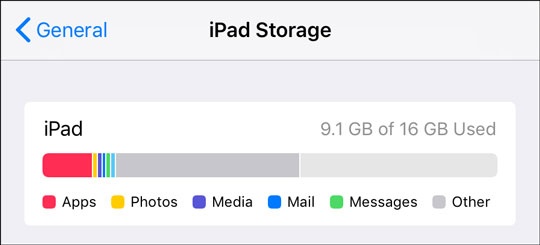
- From the Home screen on your Apple® iPad®, navigate:.SettingsGeneraliPad StorageThe 'iPad' section at the top shows how much storage space is used out of the total available.

To free up additional storage space, unused items may be removed from the device such as:
- Cache memoryCan be quickly dumped by turning your device off and then back on again.
- Messages
- Music
- Pictures or VideosDeleted Pictures and videos are moved to the 'Recently Deleted' album and must be cleared to free up memory.