Session status messages
Session Status

Due to inactivity, your session will end in approximately 2 minutes. Extend your session by clicking OK below.

Due to inactivity, your session has expired. Please sign in again to continue.

Place a Basic Visual Voicemail Callback - TCL

2026-10-22 19:15:15.844

Place a Basic Visual Voicemail Callback - TCL

Here's how to place a Basic Visual Voicemail callback on your TCL smartphone.
Visual Voicemail isn't available for Prepaid service.
  1. From a Home screen tap
    Voice Mail icon
    Phone icon.
    If unavailable, swipe up from the center of the display, then tap
    Voice Mail
    .
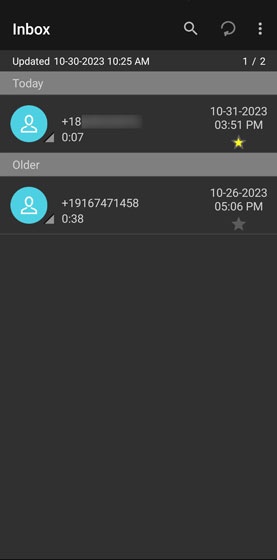
  2. From the Visual Voicemail inbox, tap a message.
    Voicemail Place Callback
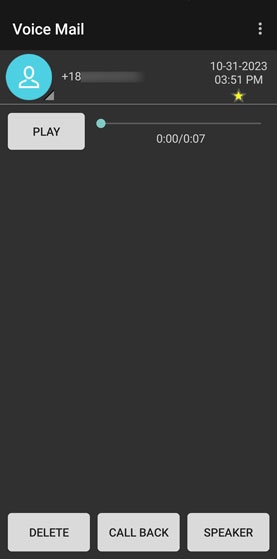
  3. Tap
    CALL BACK
    .
    Voicemail Place Callback