Wi-Fi Extender (E3200) - View LED Status Indicators
View this info for explanations of status LEDs on the Wi-Fi Extender E3200.
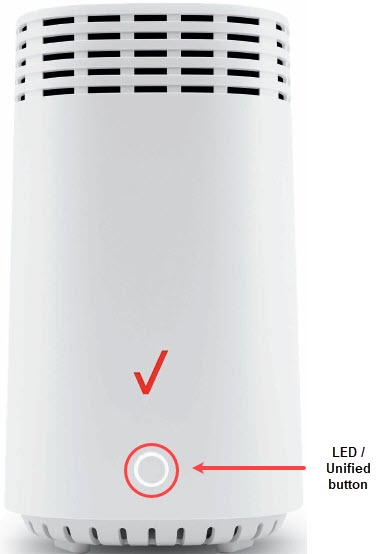
- The Status LED indicator is located on the front of the Wi-Fi Extender.
- The Status LED indicator displays solid white when your Network Extender is turned on, connected to the Internet, and functioning normally.
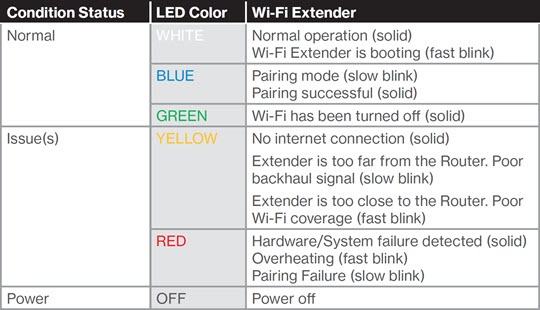
If the status indicator is yellow, the Wi-Fi Extender either has no internet connection or is too close or far from the Router. See Wi-Fi Extender E3200 - Activate / Set Up Device for info on proper setup.