Samsung Galaxy Z Fold5 - View SIM Card Number
Here's how to view the SIM card number associated with your Galaxy Z Fold5.
The Galaxy Z Fold5 will ship without a physical SIM card and is recommended to be activated with an eSIM (embedded SIM card).
The SIM card number can't be viewed until the eSIM profile has been activated and downloaded to the device.
- From a Home screen, swipe up from the center of the display to access the apps screen.
- Navigate:.SettingsAbout phoneStatus information
- TapSIM card statusthen view the ICCID (SIM card number).

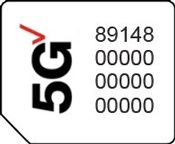
You can also remove the SIM card to view the 20-digit SIM card number (with the gold contacts facing away).