Samsung Galaxy Z Flip5 - View Device ID
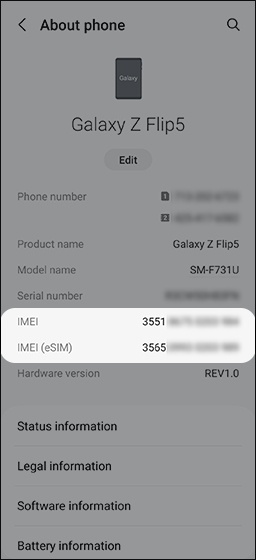
Here's how to view the device ID (IMEI) for your Galaxy Z Flip5.
- From a Home screen, swipe up from the center of the display to access the apps screen.
- Navigate:.SettingsAbout phone
- View the 'IMEI'.If using an eSIM (embedded SIM), view 'IMEI (eSIM)'.If the IMEI can't be viewed from the device, you may be able to retrieve it from the Verizon website.