Samsung Galaxy A54 5G - View Device ID
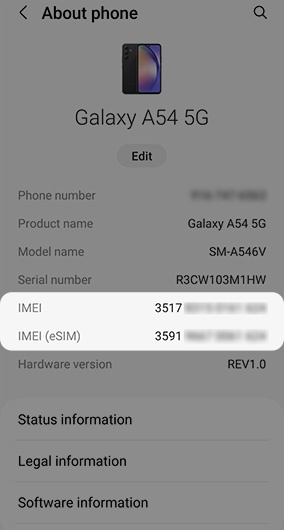
Here's how to find the device ID (IMEI) for your Galaxy A54 5G.
- From a Home screen, swipe up from the center of the display to access the apps screen.
- Navigate:.SettingsAbout phone
- View the 'IMEI'.If using an eSIM (embedded SIM) on your Galaxy A54 5G, view 'IMEI (eSIM)'.If the IMEI can't be viewed from the device, you may be able to retrieve it from the Verizon website.