Session status messages
Session Status

Due to inactivity, your session will end in approximately 2 minutes. Extend your session by clicking OK below.

Due to inactivity, your session has expired. Please sign in again to continue.

Gizmo Watch 3 - Volume Controls

2026-10-22 19:08:07.805

Gizmo Watch 3 - Volume Controls

Here's how to adjust the volume on your Gizmo Watch 3.
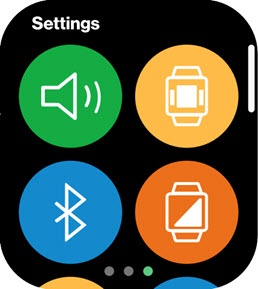
  1. Swipe left or right from the main screen to access the 'Settings' screen.
    Settings Screen
  2. Tap the
    Volume icon
    Sound icon (upper-left).
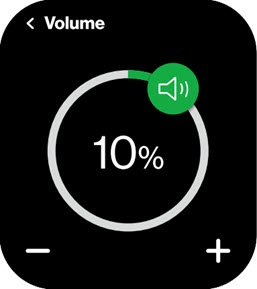
  3. Drag the
    slider
    to preferred volume level.
    Adjust Volume slider